Field service proof of service software
Proof the service was done, not just billed
What is field service proof of service software?
Field service proof of service software captures and files proof that each service call was actually completed. LockProof does it as a record: every finished job is a live photo with a server-set time and a chain of custody — plus GPS when the worker shares location — filed by job and date so it holds up when a customer or a client questions the call.
How is this different from my field service management software?
Your FSM tool schedules, dispatches, and bills. LockProof does not replace it. It adds the one thing most FSM tools leave to a typed report or a gallery upload: a live, sealed photo of the finished job, carrying a time nobody can quietly change — plus a location when the technician shares it. It runs alongside the software you already have.
Do technicians need an app or a login?
No. A technician taps a link in a text and the camera opens. There is nothing to install and nothing to remember, and the worker screens are in English and Spanish. The link opens a live camera, so the shot is live, not picked out of the camera roll on the drive home.
Can a tech fake the photo or the time?
The camera is the only way in, so an older shot cannot come from the gallery, and the reminder fires at a randomized minute, so a call cannot be shot ahead of time. The time belongs to the server, not the phone, and a SHA-256 seal on every submission means a later edit no longer matches.
How much does field service proof of service software cost?
It is priced per site, set on a short call instead of a public sticker. Essentials is $99 a month and Professional is $399 a month, scaled to your crew size and how many locations you run. Book a demo and we price it against your own calls.
How it works
Four steps. Nothing to install on anyone’s phone.
- Dispatch the call. Send the job the way you already do, and the tech gets a text with a link.
- The tech shoots one live photo. The link opens a live camera. There is no reaching into the gallery for an older shot.
- The record seals on the spot. It carries a time the server sets instead of the phone and a SHA-256 fingerprint that stops matching if the image is touched later, plus the GPS reading when the worker shares location.
- It files by job and date. Every completed call lands on the dashboard, and any one of them can go out as a single signed link the day a customer or a warranty asks to see it.
What a completed call carries
- The finished job as a live photo, shot through the link, not pulled from a camera roll
- The GPS location, when the technician shares it on submission, so the record shows where it came from
- A time the server writes, out of the technician’s hands
- A SHA-256 chain of custody: edit the photo after the call and the seal stops matching
- The dashboard marks every call done, late, or missed
- An Evidence Vault you can search by job, tech, or date
- A signed link a customer, a property manager, or a home warranty can open
- No install, no login. The worker screens are in English and Spanish
What a completed call files as
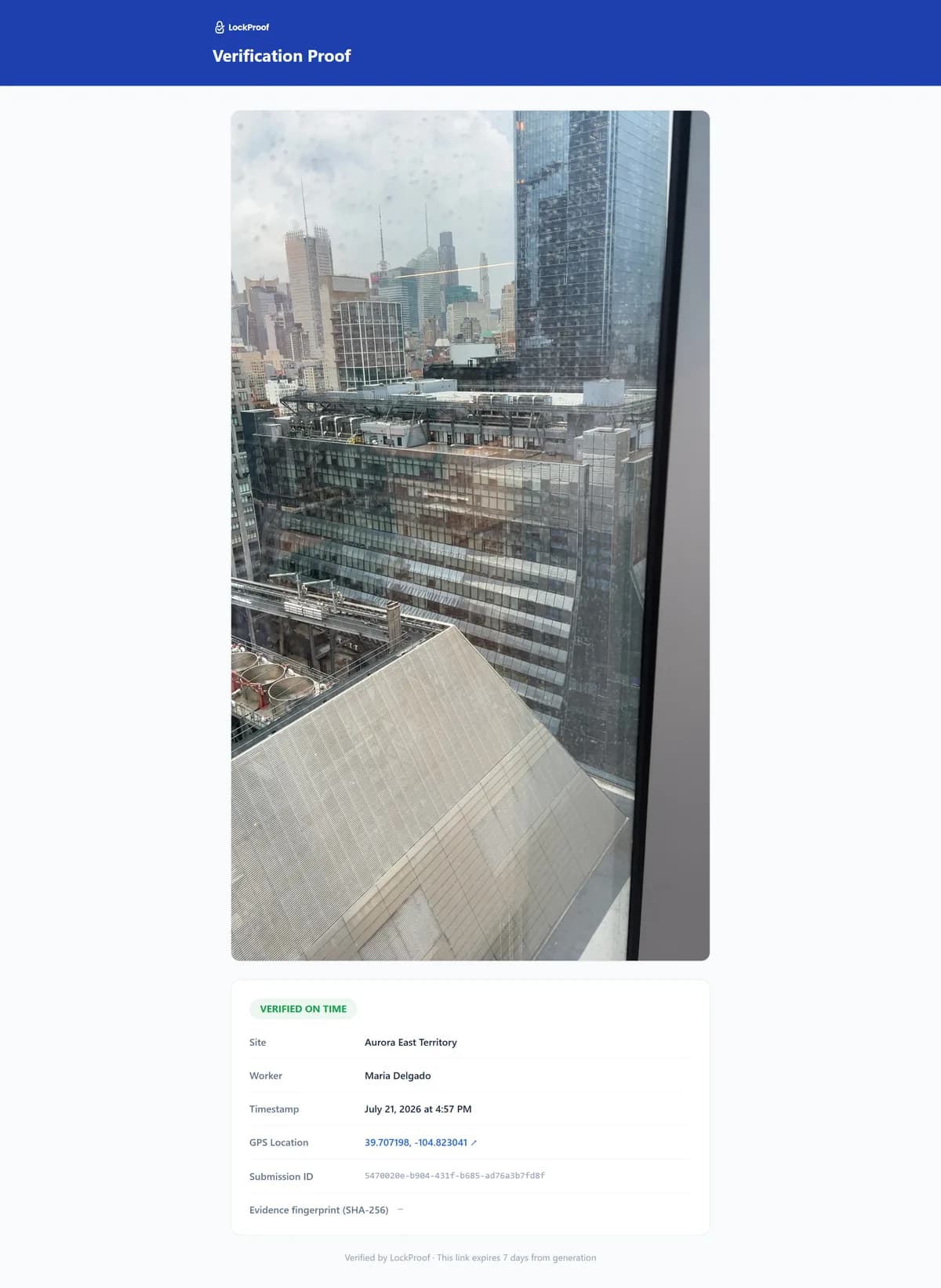
A technician closing a call produces this: the finished work as a live photo with a server-set time and a SHA-256 chain of custody, and GPS when the technician shares location. It is proof of service that does not depend on anyone remembering the visit.
Why a dated service record matters
When the only proof a job was done is the paperwork of the person paid to do it, that paperwork can be wrong. This year a Michigan water-services company and its president were sentenced for falsifying the safety and discharge test records for private water systems at mobile-home communities across the state, on at least six occasions in one year plus unreported results over several more. The company pleaded no contest to running a criminal enterprise and to forgery, was fined $50,000, and a state environmental review is what surfaced it (Michigan Attorney General, July 2026). Most service businesses are honest, and this one was an extreme case. But the shape is ordinary. A job gets signed off by the party being paid for it, and nobody holds an independent record of the work. A dated photo of each completed call — GPS-tagged when the technician shares location — filed as the work is done, is that independent record. It sits on file before anyone questions the invoice, dispute-ready.
A service report vs. a proof record
A service report or a photo app keeps your paperwork tidy. That is worth having. It is not the same as a record that holds when a customer disputes the call. Here is what each one carries.
| What the record carries | A proof record | A service report / photo app |
|---|---|---|
| Proof the call was completed | A live photo of the finished job | Your own write-up |
| Where the photo comes from | The live camera only | The gallery, often |
| The time on the record | Server-set on submission, not the phone | The phone clock, editable |
| A later edit shows | The SHA-256 seal stops matching | No |
| Location on the record | GPS when shared | Only if GPS was on |
| What you hand a customer | One signed, tamper-evident link | A PDF you typed |
Not a full field service suite
LockProof is not a dispatch platform. It does not schedule your calls, route your trucks, or run your invoicing. Keep the tools that do. LockProof adds the one layer a service report cannot: proof each call was actually completed, captured at the work and sealed. It runs alongside the field service software you already have. Open a sample verified record to see one finished call, or read how it fits field service and dispatch teams.