Vacation Rentals
Run your Vacation Rentals field work. Every job verified.
Housekeepers get a text for every turnover between guests, confirm with a live photo once the listing is ready, and it comes back as a verified, tamper-evident record. No app download. No hardware. Just a link.
Verified record
Housekeeper · Listing
Live photo
Captured by housekeeperScheduled link
Gallery blocked
Attached automatically; GPS when shared
Tamper-evident
How it works
How it works for Vacation Rentals
Add your listings
Enter each listing you want to monitor. Takes 60 seconds.
Assign housekeepers
Add each housekeeper with their phone or email. Set reminder schedule.
Automatic reminders
LockProof texts or emails your housekeepers on schedule. No action needed.
Photo proof collected
Housekeepers submit a live photo, GPS-tagged when they share location. It's stored forever.
What you get
What a finished turnover files as
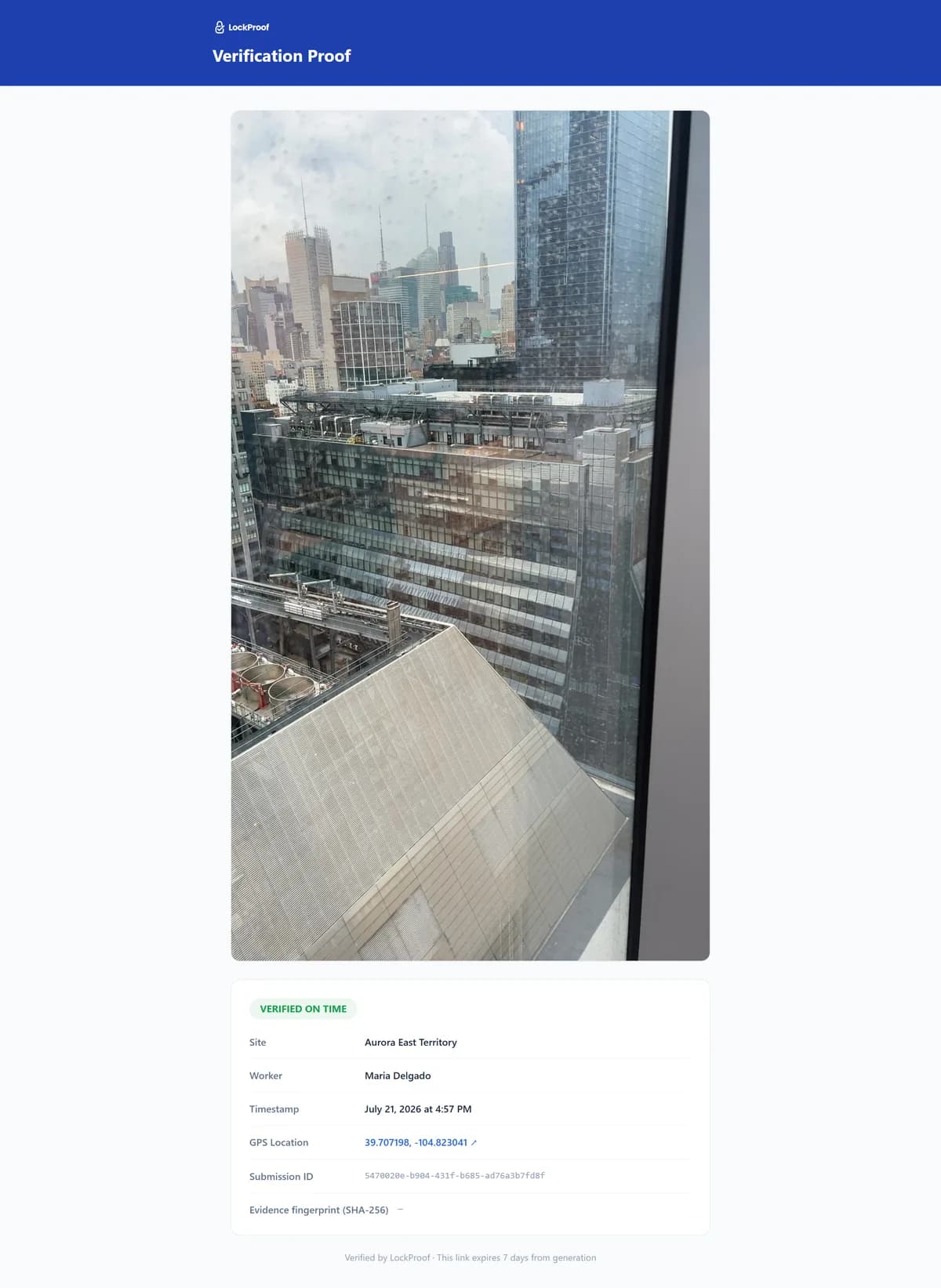
This is what one turnover becomes — a live photo with a server-set time and a SHA-256 chain of custody, plus GPS when the housekeeper shares location, ready to send a guest who asks.
Why LockProof
Why Vacation Rentals teams use LockProof
Morning Briefing
Stop checking, start knowing
Every morning, LockProof emails you a compliance briefing covering every listing, so you walk into the day already knowing what happened overnight.
☀️ Morning Briefing · 7:00 AM
Client Portal
Give clients a live proof portal
Stop sending PDFs. Give each client a live, branded portal showing real-time compliance across their listings, with one-click proof downloads for any date.
Evidence Vault
When a client asks
And if a client ever asks, the record is already there. Search by listing and date, pull the photo, the timestamp, and GPS when it was shared, and share a tamper-evident link in seconds.
A dispute, hypothetically
“The unit was filthy at check-in”
Say a guest demands a refund, claiming the listing was dirty on arrival. Your housekeeper’s record holds timestamped photos of the finished unit an hour before check-in, tied to the address. You share the record and handle the claim on facts, instead of a back-and-forth over what the place looked like. This is illustrative, not a real guest, but it is the turnover dispute every host knows: the platform sides with whoever has proof, and “we always clean well” is not proof. A live photo of the ready unit, with a place and a sealed time, is what turns a refund fight into a short conversation you can actually win.
FAQ
Vacation rental questions
How do I prove a unit was ready before check-in?
Each turnover sends the housekeeper a link. They take a live photo of the finished unit, and a server timestamp attaches on submission, with GPS when the worker shares location. The record lands tied to the listing and the clock, so you can show a ready unit an hour before arrival, not just claim it.
A guest wants a refund over cleanliness. What do I show?
Pull the turnover record for that listing and date and share a tamper-evident link: the photo of the finished unit, its location, and the sealed time. A dated record of the ready unit lets you handle a platform claim on facts instead of a memory.
Do housekeepers need an app or a login?
No. The housekeeper taps a text link and the camera opens. Nothing to install, nothing to remember, and it works in English and Spanish, which matters for a lot of turnover crews. The link opens a live camera only, so the photo is taken at the unit.
Can a turnover photo be reused from a past clean?
No. The link blocks gallery uploads and opens the live camera directly, and reminder timing is randomized. Every capture carries a server-set time and a SHA-256 fingerprint, plus GPS when the worker shares location, so a photo from last week’s turnover can’t stand in for today’s and any edit is detectable.
Can I manage turnovers across many listings?
Yes. Every turnover posts to one dashboard, marked done, late, or missed by listing, so a same-day flip that slipped is visible before the guest arrives. Any turnover is searchable later by listing and date if a claim comes in.
Ready to get started?
Never dispute a dirty checkout again — the photo is already on file.
No obligation. We'll walk you through it live.