Photo authenticity
What a photo verification code checks
The exhibit that was a perfectly good file
A judge on California’s Alameda County Superior Court noticed something off about a video exhibit in a housing dispute, NBC News reported in November 2025. The witness on screen spoke in a flat monotone. Her face was soft at the edges, and every few seconds she twitched and repeated an expression. The judge concluded the video had been generated with AI. The person it appeared to show also featured in a genuine exhibit elsewhere in the same case. She dismissed the case in September 2025, and denied the plaintiffs’ request to reconsider that November; they had argued she suspected the video was synthetic without proving it. NBC hedges its own framing, saying the case appears to be among the earliest of its kind: a synthetic video put forward as genuine evidence, and recognised for what it was.
Now put a file-integrity check to that exhibit. Such a check asks one question: has this file changed since it was sealed? However it answers, it is asking about the exhibit’s life after it already existed, and the report describes no trouble there. The trouble the court identified sat earlier than any seal can reach, in what made the file. What caught it was a judge watching a face move wrong. NBC’s account is about a courtroom, but the mechanic is general, and it is the one worth carrying into a buying decision.
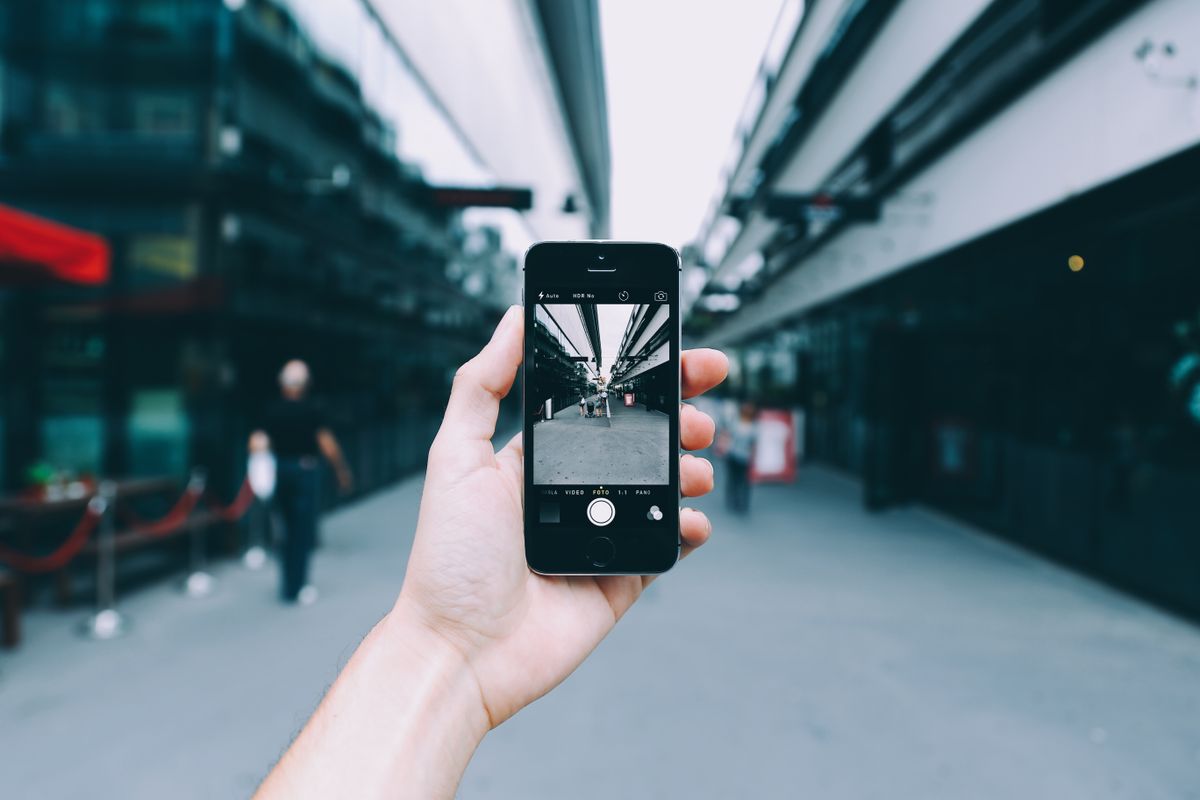
Four verify pages, all live the same week
The public self-verify page used to be a differentiator. It is now close to a category standard. On August 11, 2026 we fetched four of them directly, and all four answered:
- Timemark publishes a Photo Verification Center where you enter a Photo Code or upload images in batches. Its page states that “verification checks Timemark capture records; it does not simply read editable image metadata,” and that a result shows “the available timestamp, GPS, device, and authenticity information.” (timemark.com/tools/photo-verification, as of August 11, 2026). For the buying question rather than the verify question, the Timemark alternatives are compared on their own page.
- ProStamp runs an accountless verifier for JPEGs and Evidence Pack ZIPs, which it describes as checking “whether exact bytes match an authenticated Team upload receipt.” (prostamp.app/verify, as of August 11, 2026)
- Trustamp issues a witness code from its server before the shutter: “our server is the clock: the witness code is issued before you shoot, so the capture can’t be back-dated even if the phone’s time is wrong or spoofed.” It publishes a shareable verification link and optional C2PA Content Credentials. (trustampcamera.com, as of August 11, 2026)
- SnapProof lists “public verification — anyone can check” and a “third-party verified timestamp (DigiCert)” among the properties of its records. (getsnapproof.com, as of August 11, 2026)
Those are their descriptions of their own products, quoted and dated. Read them closely and they are not all answering the same question. Some are describing what happened to the file. One is describing where the file came from. Those are different claims. ProStamp’s page spells the distinction out, and it is worth quoting at length.
Integrity and origin are two different questions
ProStamp’s verifier returns one of three results, and the page labels the block “three trust levels, plainly explained.” The top result, which it calls a Team server receipt, is described this way: “the file matches a ProStamp server signature issued after an authenticated Team upload. It proves upload provenance and byte integrity; device attestation is a separate future level.” The middle result, legacy integrity, is described as a file whose “media and embedded fields are internally consistent with the legacy HMAC,” and then this: “because its key shipped in the app, this does not independently authenticate origin.” (prostamp.app/verify, as of August 11, 2026)
That page separates three things worth keeping separate. Byte integrity: the file has not changed. Upload provenance: this file arrived through an authenticated account. Device attestation: the hardware that made the image is what it says it is. Their own page files the third under future work, and we do not ship it either.
The vocabulary for the second one is provenance, and there is a standards body for it. The Coalition for Content Provenance and Authenticity describes its Content Credentials standard as a way to “establish the origin and edits of digital content” (c2pa.org, as of August 11, 2026). Origin and edits. Two nouns, listed separately, by the group whose whole job is this problem. If the standards work treats them as distinct, a buyer should too.
The question underneath: where does the record start?
Origin is not really a cryptography problem. It is a sequencing problem. Ask when the record for this job came into existence relative to the photo, and most of the ambiguity resolves itself.
LockProof’s answer, for a job you put on the schedule, is that the record opens before the camera does. Your system sends the worker a link, and a row for that send already exists on the server before the worker taps anything. When the photo arrives it is written back against that row, and whether the submission counts as on time is computed from the schedule your system sent, not from anything the phone reports. The worker installs nothing and creates no account. The link is the thing being authenticated, not a user.
One qualification, because this piece has spent two sections asking vendors to be precise. That is the scheduled path. LockProof also offers self-logging: a standing link a worker uses to record work nobody prompted, where the record opens when they submit it. That is the worker’s own account of when they worked, sealed the same way as any other. The sequencing argument above describes the dispatched flow, not every record we hold.
Then the capture itself is narrow on purpose. The link opens the live camera and there is no gallery to pick from, so an existing file cannot be submitted. The server sets the time when the photo arrives, because the clock on a phone belongs to whoever holds the phone. GPS is recorded on submission when the worker shares location, and you can require a location reading before a submission goes through. A SHA-256 fingerprint then covers the image bytes, the coordinates, the server-set time and the storage path, so a later change to that record is detectable.
Whose clock, and how much it settles
The phrase buyers search for is a network verified timestamp, and the instinct behind it is sound. A date printed across the corner of an image is a graphic. A date sitting inside the file is a field, and fields are editable by whoever holds the file. Neither is a fact about the world; both are assertions the sender is making. This is the shortest version of why photo metadata is not enough for proof. Three of the four pages quoted above describe some way of anchoring the time outside the file.
The routes differ, and the differences are interesting rather than decisive. Trustamp anchors the time before the shutter, by having its server issue the witness code you saw quoted above. SnapProof anchors it afterwards, describing a third-party timestamp from DigiCert. LockProof anchors it on arrival: the server writes the time when the photo reaches it, and whether a submission counts as on time is worked out from that server time against the schedule your account already sent. Different placements on the same timeline, all of them moving the clock off the device and onto something the person holding the phone does not control.
Be precise about what that buys, because the gap between the clock question and the origin question is where buyers get oversold. A server clock settles when a file arrived. It says nothing about what the lens was pointed at. Someone who photographs a printed picture with a live camera gets a genuine live capture of a photograph, sealed honestly, at a time the person holding the phone did not set. The seal is doing its job. The seal was never the part that judged the scene.
Location deserves the same care. People ask how to prove a photo location is real, and the honest answer is that you cannot, not from the file. What a record can carry is where the phone reported itself to be, and only when the worker shares location. In LockProof that reading is recorded on submission and sealed into the fingerprint alongside the image and the server-set time. You can require a reading before a submission goes through, and if a photo lands beyond a distance you set, your dashboard flags it for a person to look at. A flag is a prompt to check something. It is not a verdict, and we do not dress it up as one.
| The question | A LockProof record | A photo somebody sent you |
|---|---|---|
| Has the file changed? | A SHA-256 fingerprint over the image and the server-set time | Nothing to compare against |
| Who decided it was taken? | Your schedule did, before the link went out | Whoever was holding the phone |
| Which job is it? | The scheduled record it landed in | Whatever the sender says |
| Whose clock? | The server, on submission | The phone’s, and its owner sets it |
| Could an old file be sent? | The link opens the live camera, no gallery | Any camera-roll file can be forwarded |

Why we say tamper-evident
People search for a photo that can’t be faked. We understand the wish and we will not sell it to you. There is no such photograph. What a sealed record gives you is narrower and more useful: if someone alters the image or the values sealed with it, the fingerprint stops matching, and the change becomes detectable. Tamper-evident is a claim about what you would find out. The absolute version is a claim about what could never happen, and no photograph can carry it.
We hold the same line on courts. Whether any record is admitted is a judge’s call under rules that vary by jurisdiction, and a software company promising that outcome is promising something outside its control. What we will say is that a record with a chain of custody is easier to stand behind than a photo forwarded through a group chat.
What none of this proves
A sealed record carries a short list of facts. The photo came through a live camera. The server wrote the time it arrived. The coordinates are in there too, when the worker shared them. Nothing in it has moved since the seal went on. Quality is not on that list. Neither is whether the boiler in the frame is the boiler on the invoice, or the room in the shot is the room on the work order. Somebody still has to look at the picture and judge it. What changes is what they are judging: an artifact created inside a job you scheduled, rather than a file that turned up with a story attached.
That is the honest size of the claim. If you want the longer version of the authenticity argument, we wrote it up in how to prove a photo is real in the AI era. And if you would rather read one operator’s account of which records actually settled arguments, that is in our founder notes on proving a vendor showed up. Property managers running this against real vendors can see the vertical version on LockProof for property management.
Common questions
What does a photo verification code actually check?
It checks that the file you are holding still matches the capture record the app kept for it, and that nothing in the image has shifted since it was sealed. That is a file-integrity answer, and a useful one. It tells you the photo is intact. On its own it does not tell you which job the photo belongs to.
Is verifying a photo the same as proving who took it?
No. Integrity and origin are separate questions with separate answers. Integrity asks whether the file changed. Origin asks who captured it, of what, and on whose instruction. Some vendors draw that line themselves: ProStamp grades a standalone legacy file as internally consistent while stating its shared client key does not independently authenticate origin (prostamp.app/verify, as of August 11, 2026).
Can a verified photo still be the wrong photo?
Yes. Integrity and origin fail independently of each other. NBC News reported in November 2025 that a California judge concluded a video exhibit had been AI-generated. An integrity check asks whether a file changed after sealing, so it could not have surfaced that problem: the trouble was in what made the file.
What should you ask a proof-photo vendor?
Ask where the record starts. If the job sits on your schedule and the record is open on the server before the worker opens the link, the photo lands inside a record you already created. If the record begins when someone decides to take a photo, then the record begins on that phone.